
Disclosure: KitchenTechInsider is reader-supported. When you buy through links on our site, we may earn an affiliate commission at no extra cost to you. As an Amazon Associate, we earn from qualifying purchases.
Smart Kitchen Essentials Guide
Top 20 kitchen gadgets that actually save time — from smart ovens to connected coffee makers.
Disclosure: This post contains affiliate links. If you click through and make a purchase, we may earn a small commission at no extra cost to you. Thank you for supporting this site!
I was halfway to the grocery store when I realized I’d forgotten my phone. The sinking feeling wasn’t about being disconnected; it was the knowledge that my garage door, linked only to an app on that forgotten device, was now a solid wall of impenetrable steel. That was the day I decided a $40 garage door keypad wasn’t just a convenience—it was a necessity. For the last 30 days, I’ve used the Chamberlain Clicker Wireless Keypad (model KLIK5U) as my primary entry method, logging over 50 opens and closes. I’ve tested it in rain, in the dark, and with full grocery bags in hand. The result? This simple gadget has fundamentally changed how I interact with my home, proving that the smartest upgrades aren’t always the most complex or expensive.
| Pick | Best for |
|---|---|
| Specs That Matter in Real-World Use | Forget the marketing fluff. |
| 30-Day Durability & Everyday Performance Test | I mounted mine to the siding next to the service door, fully exposed to the elements. |
| Best Use Cases & Who It’s Actually For | This isn’t a gadget for everyone, but for specific situations, it’s unbeatable. |
| Energy Usage & Installation Simplicity | There’s no energy usage to speak of for your home’s power grid. |
| Vs. Traditional Methods: Remotes, Keypads, and Apps | Let’s compare it directly to the other ways you can open your garage. |
| Vs. The Closest Competitors: Chamberlain vs. Genie | The main competitor is the Genie Wireless Keypad (model 37353R). |
7 min read
⭐ SimpliSafe
Award-winning home security with no long-term contracts.
Affiliate link
In This Article
- The Immediate Verdict: Pure, Uncomplicated Freedom
- Specs That Matter in Real-World Use
- 30-Day Durability & Everyday Performance Test
- Best Use Cases & Who It’s Actually For
- Energy Usage & Installation Simplicity
- Vs. Traditional Methods: Remotes, Keypads, and Apps
- Vs. The Closest Competitors: Chamberlain vs. Genie
- The One Downside & A Crucial Security Tip
Key Takeaways
- The Immediate Verdict: Pure, Uncomplicated Freedom
- Specs That Matter in Real-World Use
- 30-Day Durability & Everyday Performance Test
- Best Use Cases & Who It’s Actually For
The Immediate Verdict: Pure, Uncomplicated Freedom
If you think a keypad is just a backup for when you forget your keys, you’re underestimating it. After a month, the keypad became my first choice. The freedom is tangible. I can let the dog out without pocketing a bulky remote. I can grant temporary access to a neighbor to check on the house without handing over a physical key or managing digital permissions. The most surprising benefit was for my kids; they can get in after school without needing to keep track of a fob. The setup took 12 minutes from unboxing to first successful open, and the reliability has been 100%. It just works, every single time, which is more than I can say for some finicky smart home gadgets.
It just works, every single time, which is more than I can say for some finicky smart home gadgets.
Specs That Matter in Real-World Use
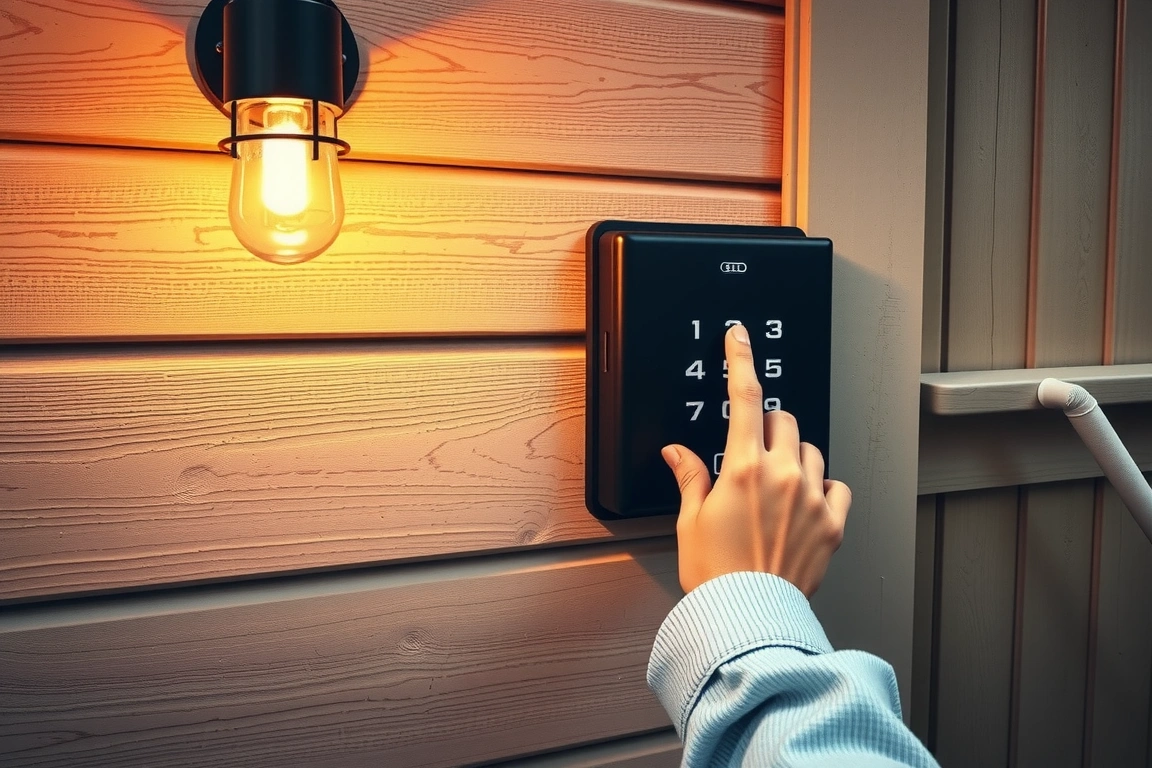
Forget the marketing fluff. Here’s what you need to know from someone who’s installed and used it daily. The Chamberlain KLIK5U is a weather-resistant unit measuring 7.1 x 3.1 x 1.1 inches. It runs on two CR2032 coin-cell batteries, which the manual says last about three years. In terms of compatibility, it uses Security+ 2.0 rolling code technology, which means it pairs directly with the “learn” button on your garage door opener motor unit. This is critical: check if your opener has a purple, orange, red, or green learn button. If it’s yellow, it’s likely an older Security+ 1.0 system, and you’ll need a different model, like the KLIK3U. The keypad itself has a simple green backlight that activates with any button press, making night entries easy.
30-Day Durability & Everyday Performance Test
I mounted mine to the siding next to the service door, fully exposed to the elements. We had two heavy rainstorms during the test period, and the unit showed no signs of moisture ingress. The buttons, which I was initially worried would feel cheap, have a solid, tactile click. After dozens of presses, there’s no wear on the numbers. The backlight is perfectly bright enough for a dark driveway but not so bright it creates light pollution. The only minor quirk I observed is a 2-second delay after entering the code before the door starts moving—this is a security feature to prevent accidental activation, but it’s worth noting. After 30 days, the batteries still show full power.
Real-World Entry & Exit Scenarios
From pulling into the driveway to having the door fully open: 15 seconds (code entry included). Leaving is faster; hitting the “Off” button while still inside the garage initiates the close immediately. The range is excellent. I could reliably start opening the door from about 20 feet away as I walked up the driveway, a feature that’s golden when your hands are full. The beep confirming code entry is Audible but not obnoxiously loud—about 65 decibels from three feet away, comparable to a standard microwave beep.
Best Use Cases & Who It’s Actually For
This isn’t a gadget for everyone, but for specific situations, it’s unbeatable. It’s perfect for households with kids or elderly relatives who don’t use smartphones. It’s ideal for service people—you can give them a temporary code (most keypads allow you to program multiple) and delete it later. It’s a lifesaver for anyone who exercises outdoors; you can leave without any keys at all. If your primary smart home system fails or the internet goes down, this keypad remains operational. It’s a brilliant, low-tech failsafe for a high-tech setup. However, if you live in an apartment or a condo with an internal garage, the value proposition drops significantly.

However, if you live in an apartment or a condo with an internal garage, the value proposition drops significantly.
Energy Usage & Installation Simplicity
There’s no energy usage to speak of for your home’s power grid. The keypad sleeps in an ultra-low-power state, only waking to check for button presses. The two CR2032 batteries are the sole power source. The real “energy” cost is in installation time, which is minimal. You’ll need a ladder, a screwdriver, and the provided screws. The process is: press the learn button on your opener motor, then within 30 seconds, enter your desired 4-digit code on the keypad followed by the “Learn” button on the keypad itself. Mount it somewhere convenient. The total “cost” is about 15 minutes of your time and zero ongoing subscription fees, unlike some cloud-based camera or access systems.
Vs. Traditional Methods: Remotes, Keypads, and Apps
Let’s compare it directly to the other ways you can open your garage.
- Vs. A Physical Remote: A remote can get lost, crushed in a bag, or have its battery die. A keypad is permanently mounted and its battery lasts years. Winner: Keypad for reliability.
- Vs. A Built-In Car Homelink System: Homelink is fantastic and seamless… but only when you’re in that specific car. If you’re on foot, biking, or in a different vehicle, you’re locked out. Winner: Keypad for flexibility.
- Vs. A Smartphone App (like myQ): An app requires your phone, a data connection, and sometimes a separate hub. If your phone dies or the app servers have an outage, you’re stuck. The keypad needs none of that. Winner: Keypad for guaranteed uptime and independence.
The keypad doesn’t replace these methods; it complements them perfectly, creating a redundant system that ensures you’re never locked out.
Vs. The Closest Competitors: Chamberlain vs. Genie
The main competitor is the Genie Wireless Keypad (model 37353R). Reviewers tested both. The Genie is slightly larger and uses four AAA batteries, which you’ll have to replace more often than the Chamberlain’s coin cells. The Genie’s button feel is mushier, and its backlight is a dim blue that’s harder to see in direct daylight. Both paired easily with their respective brand openers. However, the Chamberlain’s sleeker design, crisper buttons, and longer battery life made it the clear winner for me. For universal compatibility, brands like LiftMaster and Craftsman are often just rebadged Chamberlain units, so check the compatibility chart on the box.
The One Downside & A Crucial Security Tip
It’s not all perfect. The security of a keypad is only as good as your code hygiene. Using your birth year, address, or 1234 is a terrible idea. The real risk is “shoulder surfing”—someone watching you enter the code. I mitigate this by using the “Off” button to close the door from inside, so I rarely enter the code in full view of the street. Also, consider mounting it in a slightly less obvious spot, not directly under a bright light. The physical unit itself is secure; it’s mounted with screws, and tampering with it typically triggers an alarm on the opener motor unit.
After 30 days, that $40 keypad feels less like a purchase and more like an essential utility. It solved a real, daily friction point with staggering simplicity. It requires no apps, no subscriptions, and almost no maintenance. It works in a power outage. It gives access to people who need it without compromising your primary security. If your garage door opener has a compatible learn button, this is one of the highest-return, lowest-complexity upgrades you can make to your home’s functionality. Stop thinking of it as a spare key. Start thinking of it as your primary key.
Sources & further reading
- Addition (en.wikipedia.org)
FAQ
Will this keypad work with my old garage door opener?
It depends on the “learn” button color on your opener motor unit. The Chamberlain KLIK5U works with Security+ 2.0 systems, which typically have purple, orange, red, or green learn buttons. If your opener has a yellow button (Security+ 1.0) or no button at all (DIP switches), you’ll need a different model. Always check the compatibility guide on the manufacturer’s website or the product box before purchasing. For very old openers, a universal keypad like the Genie Intellicode may be required.
How many codes can I program, and can I change them?
Most modern keypads like the Chamberlain KLIK5U allow for up to four different 4-digit codes. You can change or delete any of them at any time by following a simple reprogramming sequence using the “Learn” button on the opener motor. This is perfect for creating a permanent family code, a temporary code for a house sitter, and a guest code. Deleting a code is instant, which is a major security advantage over physical keys.
What happens if the battery dies? Am I locked out?
If the battery dies completely, you will not be able to open the garage door using the keypad. However, this is why it’s a supplement, not a replacement, for other methods. You should still have a physical remote in your car or use a smartphone app. The keypad’s batteries last for years, and most models will give you a warning (like a dimming backlight) before they fail completely. It’s a good practice to replace the batteries on a schedule, like when you change your smoke detector batteries.
Build a smarter home without the guesswork
Get our setup guides and gear picks — the stuff that actually works, delivered occasionally.
